You heard their name across a loud room and spelled what you thought you heard. The spelling is on their card now, and you still do not know how to say it.
On a person’s page, tap “Record their name”. Before anything records, a notice titled “Ask before you record” appears: “This records the other person saying their own name, so you can get it right the next time you meet. Ask them first, and let them hear it back.” It adds that rules about recording someone’s voice vary by location, and that asking is the point of the feature. You choose “I’ll ask” or “Not now”. It appears each time, not once.
Half the screen is theirs
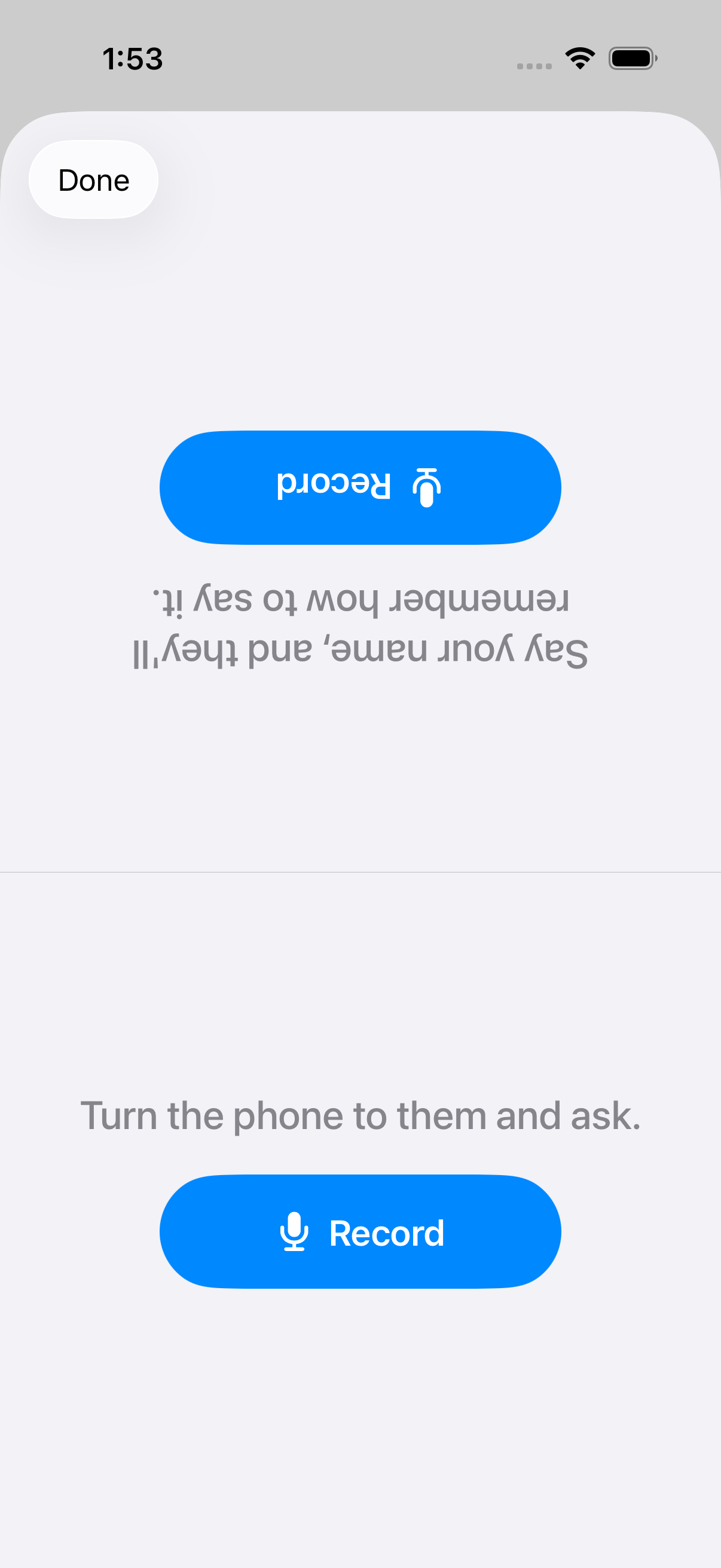
The recording screen is split in two. Your half reads “Turn the phone to them and ask.” The other half is rotated to face them and reads “Say your name, and they’ll remember how to say it.” Both halves carry the same buttons: “Record”, “Stop”, “Play it back”, “Record again” and “Delete”. They can start the recording and stop it themselves. A clip is just the name, and there is a time limit.
Once saved, your half reads “Saved to their card. Either of you can delete it.” Theirs reads “Got it — thank you. Hear it back, or delete it.”
The app keeps no record of who tapped or whether anyone agreed. It has no way of knowing whether you asked.
Later, on their page, “Hear their name” plays the clip. One clip per person.